

Named secrets, encrypted with an envelope scheme and never readable back, scoped at org, repo, and environment with env → repo → org inheritance, resolved at the point where they are used.
What a secret is
Section titled “What a secret is”A secret is a named credential Scarab stores on your behalf and hands to a step at run time: a registry password, a deploy token, an API key. You give it a name (the key a step references) and a value; Scarab owns storage, scoping, injection, and the one thing everyone gets wrong: keeping a run from an untrusted fork’s pull request from ever seeing it.
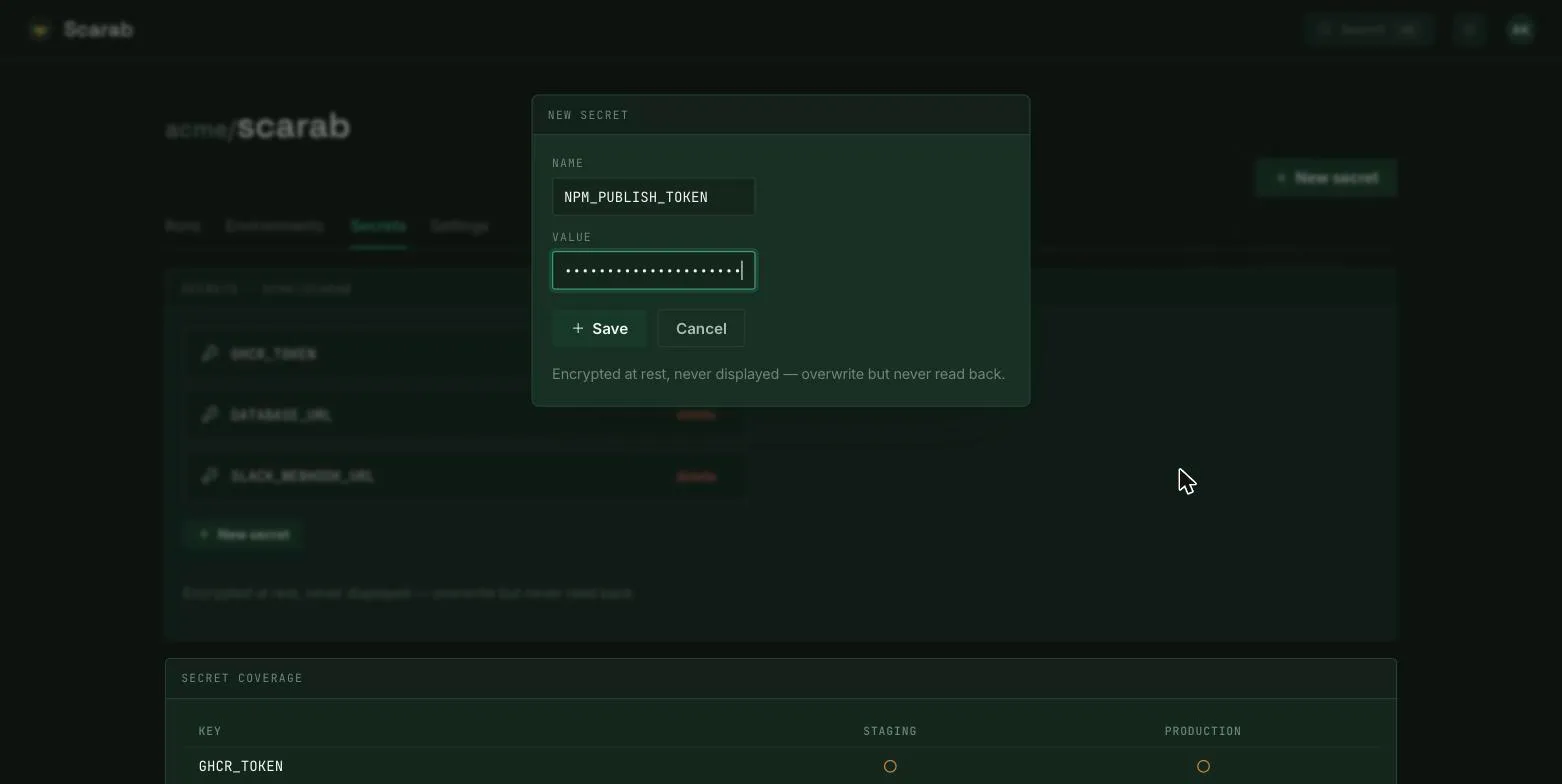
Encrypted at rest, write-only
Section titled “Encrypted at rest, write-only”Values are encrypted with an envelope scheme in Postgres (ADR-0014): a per-tenant data key encrypts the
value, and that key is wrapped by a master KEK, the base64 32-byte SCARAB_MASTER_KEY
(required in production; see Environment Variables).
Storage sits behind a pluggable SecretProvider port, so Vault, a cloud secret manager, or
the External-Secrets-Operator can drop in later without touching pipelines.
A secret value can be written but never read back. No API ever returns it: POST /v1/secrets takes the value,
but GET /v1/secrets lists names only, never values. In the UI the copy is exact:
Encrypted at rest, never displayed. Overwrite but never read back.
You can replace a value (the create form guards an overwrite of an existing name behind an explicit opt-in), but you can never read the current one back. Log redaction does its best to mask known secret values out of the live and stored log stream.
Scoping and inheritance
Section titled “Scoping and inheritance”Secrets are scoped at three levels (org → repo → environment) and a step resolves a key by
walking that chain so that the most specific scope wins: env → repo → org (ADR-0037). A value shared across
environments lives once at repo or org scope; only values that genuinely differ are stored
per-environment. The scope is chosen on write with org (required), an optional repo, and an
optional environment (which requires repo).
A pipeline references a key without naming an environment, and resolution picks the value by the run’s
target environment, so there is no _staging / _prod naming
convention baked into the YAML, and pipelines stay portable across environments.
How a pipeline consumes them
Section titled “How a pipeline consumes them”A step names the keys it needs with secrets: [KEY, ...]; each is resolved against the run’s scope
chain and made available to that step under the same name. A key that resolves to nothing at
every scope is an error at submit or deploy time, never a silent empty. A run from a fork’s
pull request is locked out and receives none unless a maintainer approves. For the authoring YAML see
Pipeline Syntax.
Where you set them: one grid, by scope
Section titled “Where you set them: one grid, by scope”Everything below the org lives on a repository’s Secrets tab, in a grid whose rows are keys and whose columns are scopes: Repository default first, then one per environment. Clicking a cell sets or clears a value at that scope, so the same view that shows you a gap is the one that fills it. Org-wide values live in the global Settings area, at the top of the chain.
Environments are configured for their protection rules (approvers, allowed refs, wait timers) and nothing else. Secrets are one key-addressed namespace resolved by scope, not a pile of per-environment lists, so “does production override the default?” is a question you answer by reading along a row.
Each cell shows only where a value lives, never a value:
| Meaning | |
|---|---|
● set |
a value at exactly this scope |
○ inherited |
nothing here; it resolves from the repo default or the org (hover to see which) |
– unset |
resolves to nothing |
⊘ intentionally unset |
a deliberate gap, marked so it stops reading as an oversight |
Coverage is advisory (GET /v1/repos/{org}/{repo}/secrets/matrix) — names and status only, and
it never blocks a deploy. The completeness check that actually matters is the usage-driven one at
submit or deploy time: every key a pipeline references must resolve.